
Download TilBuci
The latest version of TilBuci is 25. This version introduces a new platform for the Showtime tool, the TilBuci Showtime for Makers. To check out this version, visit the repository on Github or use the links below.
https://github.com/lucasjunqueira-var/tilbuci/releases/tag/v25
Docker Image (alpha stage)
You can also use TilBuci via a Docker image available on Docker Hub. When you run the container for the first time, access http://localhost:8080/ in your browser. The first time you run it, you will see a form for initial configuration. Indicate the desired execution mode (multi-user or single) and enter your email and password for multi-user mode. From then on, simply access http://localhost:8080/editor/ whenever you want to create your content in TilBuci.
Using compose
https://tilbuci.com.br/files/compose.yaml
Manually
Pulldocker pull tilbuci/tilbuci:latest
First run (for configuration)docker run -d --name tilbuci -p 8080:80 -v tilbuci-data:/data -e TILBUCI_URL=http://localhost:8080/ tilbuci/tilbuci:latest
Subsequent executionsdocker start tilbuci
Installig TilBuci
TilBuci is a web application designed for multi-user access and collaborative creation. The installer is presented as a script for configuration on a web server. The TilBuci current requirements for installation are: a web server (tested with Apache on Windows and Linux), PHP version 8 or newer, MySQL (version 8 or newer) or MariaDB (version 10.2 or newer). Check out the instructions below:
1. Download the web installer file, unpack and copy it to the public folder of your web server..
2. Create a database on your MariaDB/MySQL server to receive the TilBuci information.
3. Run the setup.php script on your web browser and fill all the required information. If you area installing TilBuci for usage over the Internet, choose the multi user access mode. If you’ll be running it for yourself, on your own server, you can choose the single user mode (no password).
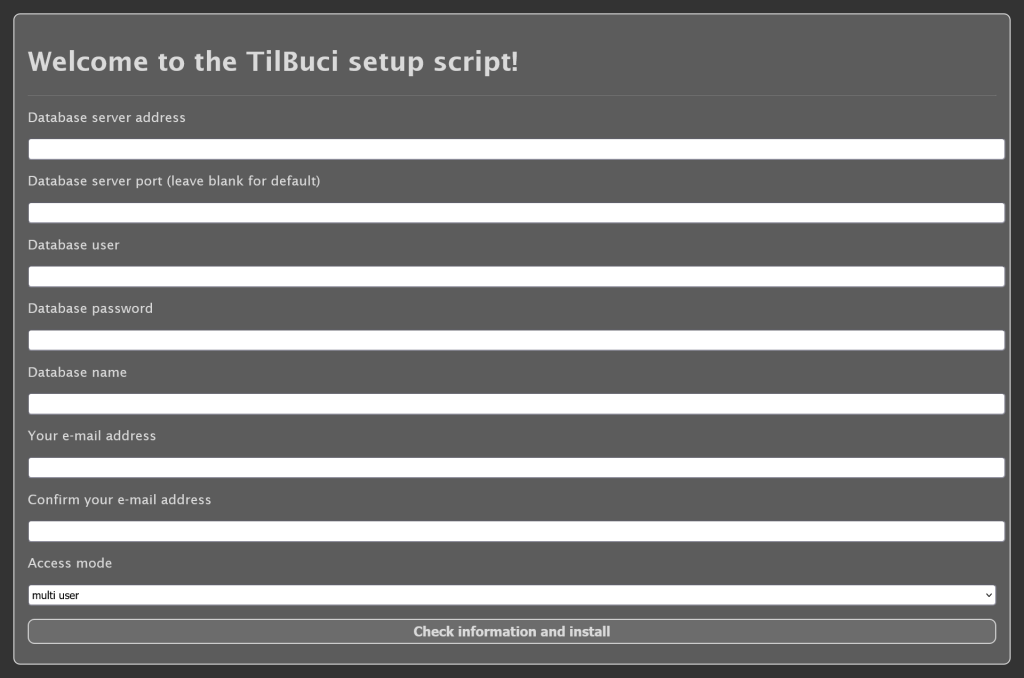
4. That’s it! You can now access your TilBuci installation following the provided instructions. If you’re running on multi user mode, remember to change the initial password.

Personal use is also possible. For this purpose, the software can also be downloaded as a portable desktop app for Windows, Linux, and macOS (x64 architecture) that requires no installation.
For WordPress* users, TilBuci can also be installed as a plugin, integrating with the tool’s dashboard. Just download de pçlugin version and add it to your WordPress* system by uploading the ZIP file at the Plugins > Add Plugin > Upload Plugin administration page.
Updating TilBuci
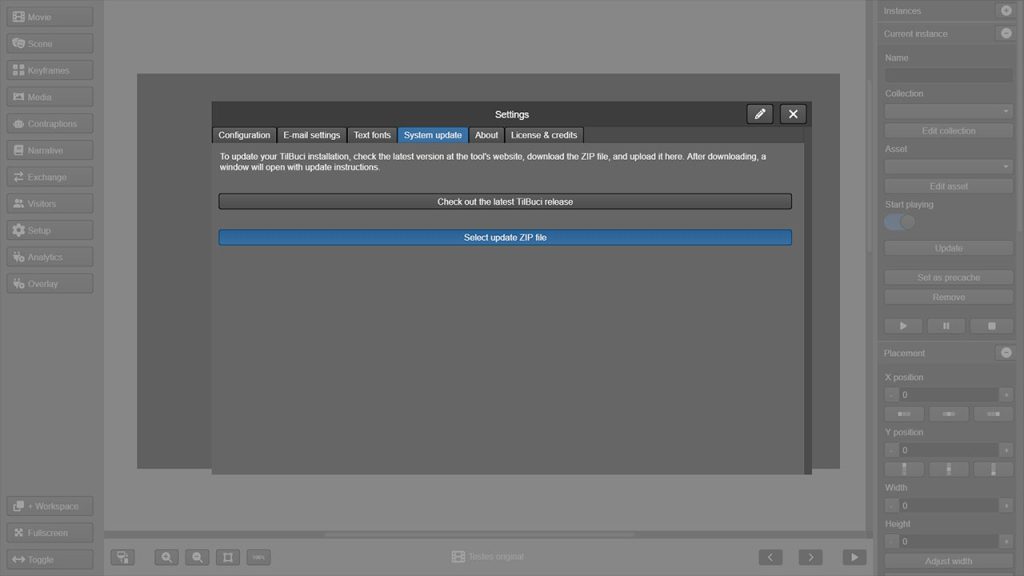
To update TilBuci, just download the web installer and updater file, access the setup menu on the left, and go to the system update tab. There, simply upload the update file and follow the instructions. This procedure also applies to desktop apps — don’t download them again, just update the version following the steps above.
The plugin version has an “update” menu that performs the update process automatically. You don’t need to download a new file to update it.
The Windows, Linux, and macOS app files available for download on this page are already updated with the latest version of TilBuci.
*The WordPress® trademarks are the intellectual property of the WordPress Foundation. The use of the WordPress® name in this page is for informational purposes only and does not imply endorsement by the WordPress Foundation. TilBuci is not endorsed by, does not belong to, and has no affiliation with the WordPress Foundation.